COLLECTING GUIDE
Track copies, versions, condition and graded cards
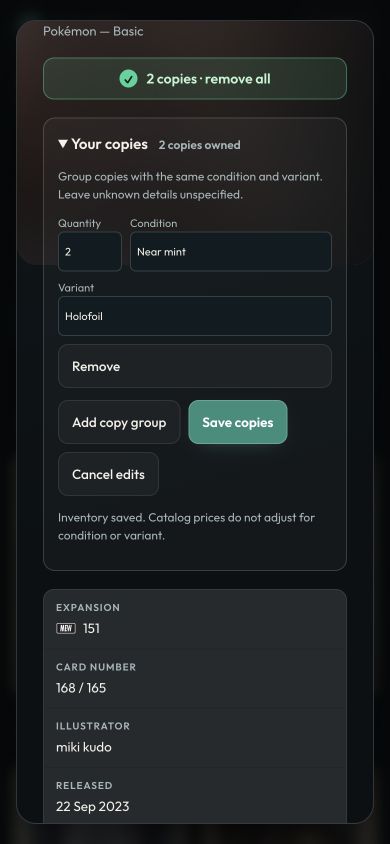
Record what is in your collection: how many copies, which version (holo, reverse holo, ball pattern or stamp), the condition or grade, and which copies are for trade.
This guide is for collectors who want their records to match the cards in their binders and boxes. Recording copies in Senseiset is free.
Identify the card first
Look up the Pokémon or card name, then confirm the set and card number. The card is the catalogue entry; the version, condition and grade describe the copy in your hand.
Record the version
Many cards come in several versions: regular, holo, reverse holo, the Poké Ball and Master Ball patterns of newer sets, 1st Edition, and stamped copies such as Holiday Calendar or prerelease cards. Open a card and choose the version of each copy. The card view shows every version with its own price where the market has one.
Count copies and condition
If you own several copies, enter the quantity rather than marking the card again. Split copies into separate groups when their version or condition differs. Condition uses the Cardmarket or TCGplayer scale, whichever you prefer.
Graded cards
For a graded copy, record the grading company (PSA, BGS, CGC, TAG, ACE and others), the grade and, if you like, the certificate number. Prices shown are for ungraded cards.
Mark copies for trade and keep a backup
Set how many copies of a card are for trade, and they can go on a trade post. Your collection syncs across devices once you sign in, and you can export it as a backup or as a CSV file for other apps.